You can view NOAA offline charts.
1 - Download the charts
If you have not already downloaded them in SailGrib WR, you can get them directly from the NOAA website.
https://tileservice.charts.noaa.gov/tileset.html#50000_1-locator
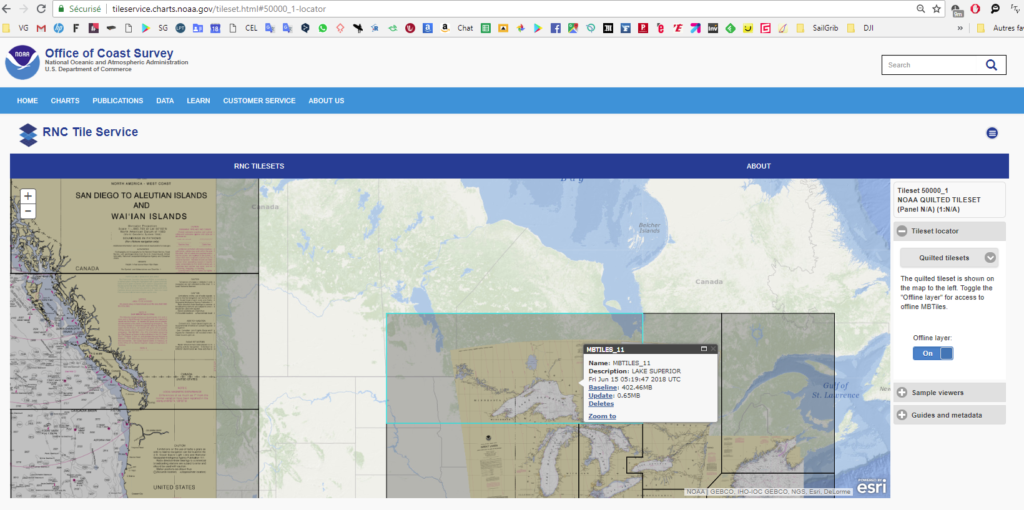
- check the Offline layer switch
- click the zone you want to download
- press the Baseline link and the file is downloaded to your device Download directory
- copy the file from the Download directory to the sailgrib/customchart directory using a file manager like ES explorer
2- Display the NOAA marine charts
- open the menu
- press the Settings button
- choose the Offline Charts menu
- eventually, select the directory where the map files are located
- check the map to display and return to the map
- press the bottom map selection button in the upper right corner of the screen.
- select Offline
You must have purchased the Premium option for this feature.