AIS messages are received through the NMEA stream. Refer to the previous chapter to set it. Once started, the NMEA service will process AIS messages regardless of the position of the AIS target display switch.
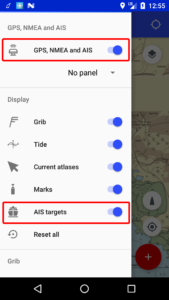
To display AIS targets:
- connect to the NMEA and AIS stream of your central unit
- start the GPS service from the menu
- activate the display of AIS targets in the menu
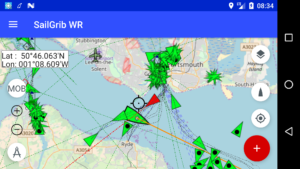
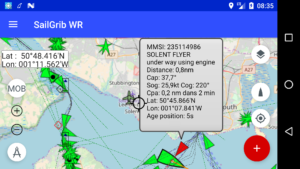
You can check data of a specific AIS target by pressing its icon.
Watch a video of AIS targets in the Solent