Atlases created from raster charts of hydrographic services can be purchased or downloaded directly into the app and stored in your device. These atlases are created from map images. The maps are clipped, cleaned and assembled to give a continuous atlas with different zoom levels.
Please note that no official hydrographic service has verified the information contained in the atlases and cannot be held responsible for the accuracy of their representation or for any subsequent modification. Possession of these atlases does not exempt from the obligation to use the appropriate nautical documents provided for by national or international regulations.
More specifically, for atlases derived from UKHO data, please note that :
“The UK Hydrographic Office (UKHO) and its licensors make no warranties or representations, express or implied, with respect to this product. The UKHO and its licensors have not verified the information within this product or quality assured it.”
Similarly, SailGrib disclaims any liability related to the use of these atlases. Again, possession of these atlases does not exempt from the obligation to use the appropriate nautical documents provided for by national or international regulations.
In SailGrib WR, you can purchase the following atlases of marine charts :
- SHOM for France. All French metropolitan coasts are available (Channel, Atlantic, Mediterranean).
- derived form UKHO for Great Britain, Ireland, Spain, Portugal, the Eastern Atlantic Islands.
- derived from SHOM, UKHO and NOAA for the Caribbean island.
If you are looking for specific charts, do not hesitate to contact us.
If you are on the Internet, the list of proposed atlases will be automatically updated when you open the application. You can consult the detailed list by downloading the specific manual atlas_raster_en.pdf.
Once purchased in the Play Store, the maps are downloaded into the “Download” directory of your device and possibly copied into the directory you have chosen in the application. It can happen that the copy fails. In this case, use a file manager like ES Explorer to copy the atlas in sgtiles format in the directory you have chosen.
The atlas licenses are attached to the Gmail account you used to purchase them. The charts can only be used in SailGrib WR and with this account.
You can, however, use the application and maps on multiple devices as long as they are attached to the Gmail account used to purchase the application and atlases.
We will make our best effort to update the atlases once a year. You can update them by downloading them again within 365 days of purchase. Beyond this period, if you want to update the atlas, you will have to buy it again.
I encourage you to keep a copy of the atlas file in a safe location.
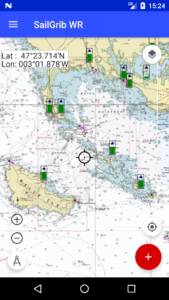
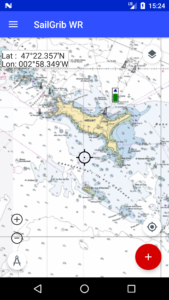
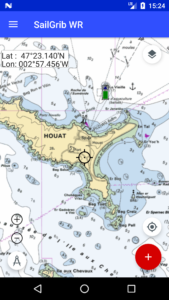
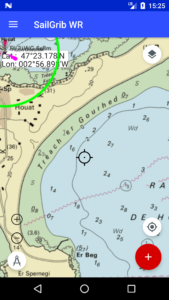
Here is for example the isle of Houat at several scales.
We offer free atlases from NOAA data for the United States. These atlases cover all the coasts of the United States and much of the Pacific.
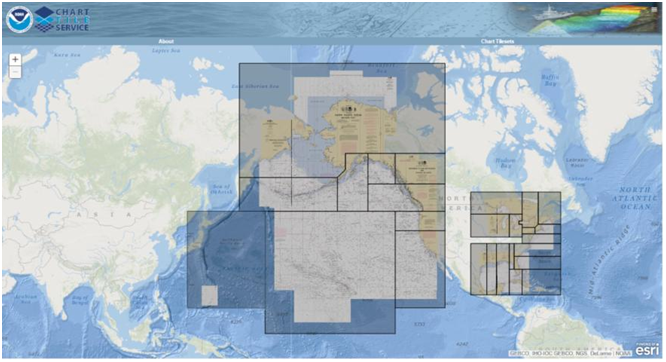
The free offline charts are stored in MBTiles format, the purchased ones are in a MBTiles derived format, one where we have encrypted the tiles. We have called it the SGTiles format.
You can also make your charts with tools like SASPlanet or MapTiler and copy them to your device.
The maximum zoom level is not constant for all chart areas. It varies according to the scale of the most accurate map for a given location. Thus, you will not have the same maximum zoom level for the port of La Rochelle as for the plateau of Rochebonne.
To compensate for this, if the application does not find a map at a sufficient scale for a given location, it will make an “Overzoom” of the most accurate map for that location. Overzoom" will appear discreetly on the tiles thus created on the fly.