If you have a speedometer log on board, you have probably noticed that, very often, the speedometer log speed or surface speed (STW - Speed through water) is not correct: you must calibrate the speedometer log.
The calibration module helps you by providing you with a simple and quick calibration method based on the comparison of ground speed (SOG - Speed Over Ground) and surface speed.
Do not hesitate to do the calibration at each navigation. With a little practice, the procedure with 2 passes takes about 3 minutes.
The speedometer logs have a coefficient that is used to adjust the ground speed by multiplication. Before the first calibration, this coefficient is set at 1 for most manufacturers. We will calculate a new coefficient: new_coeff = SOG / STW * old_coeff
The procedure consists in calculating this coefficient by starting from the previously entered coefficient.
How to do it:
- choose a quiet place, without waves. The exit of your harbor is often the best place to go.
- start the engine at motor at about 5 knots. Do not touch the engine speed again during the procedure.
- make one or more passes depending on the current. In case of uncertainty, we recommend that you make 2 runs.
- In uncertainty or if we have a stable current, we make 2 runs, one against the current and the other with the current
- motor at about 5 knots against or with the current.
- start the calibration module. Menu > Settings> GPS NMEA > NMEA settings > Speedometer calibration
- If necessary, enter the current calibration coefficient of the speedometer log if it is different from the one displayed by the app.
- choose 2 runs
- wait until the speed is stabilized. When the Start button turns green, press it to start the procedure
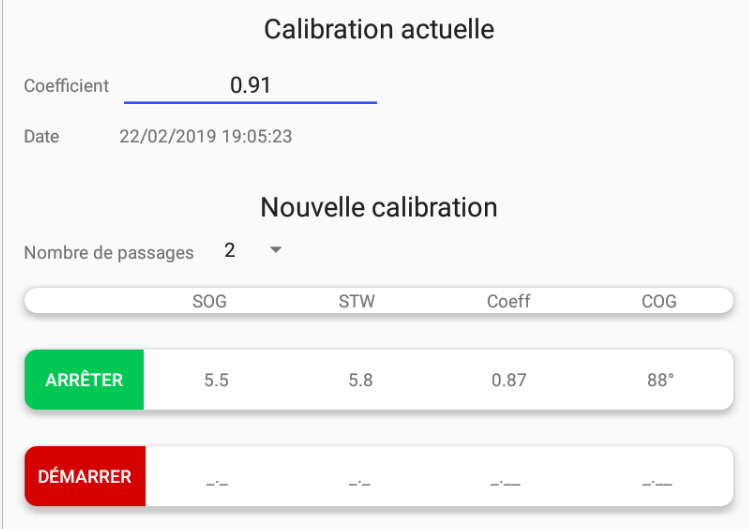
- progress over a few hundred meters or about a minute. At least wait until the Stop button turns green.
- press the Stop button
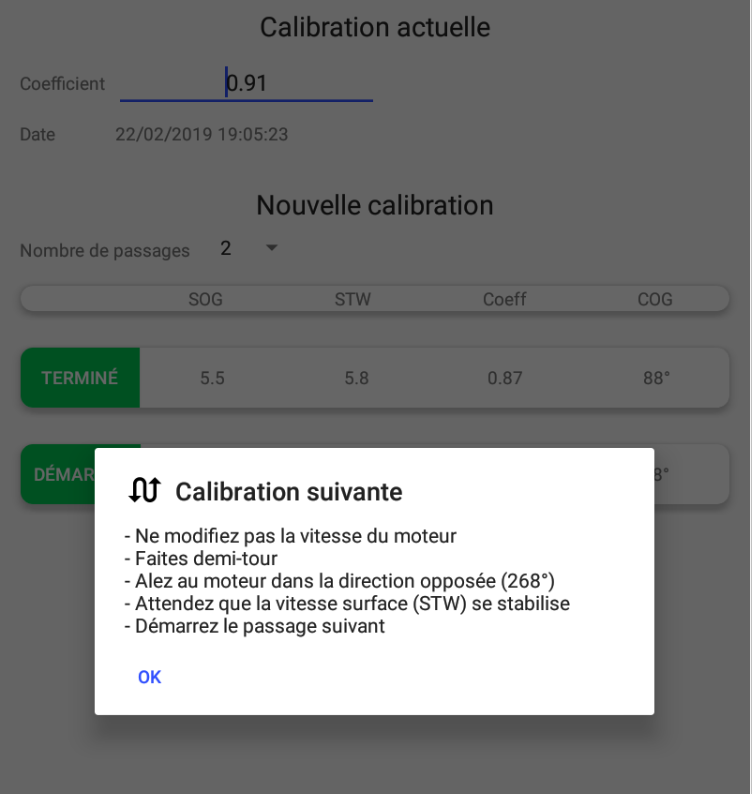
- turn around. The app tells you which course to follow on the other side (COG2 = COG1 + 180°). Do not touch the engine speed during the U turn.
- wait until the speed is stabilized. When the Start button turns green, press it to start the second run.
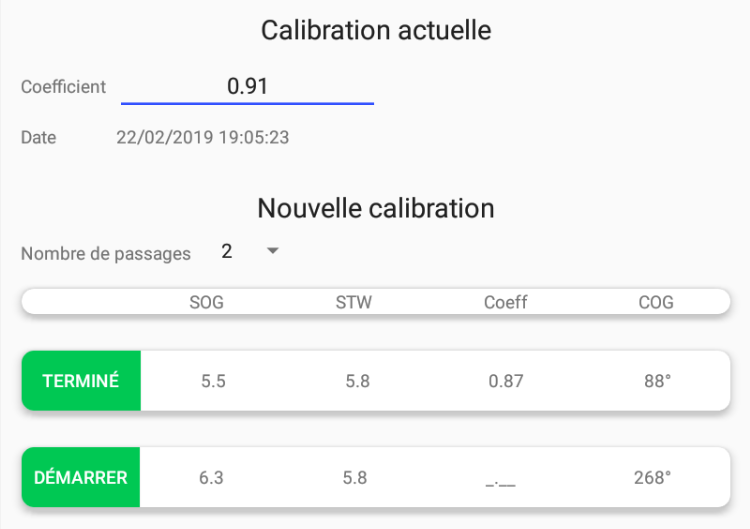
- progress over a few hundred meters or about a minute. At least wait until the Stop button turns green.
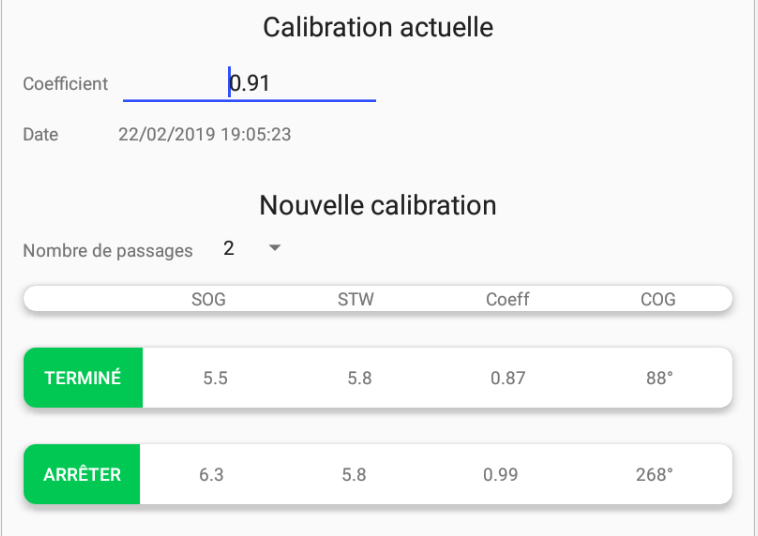
- press the Stop button
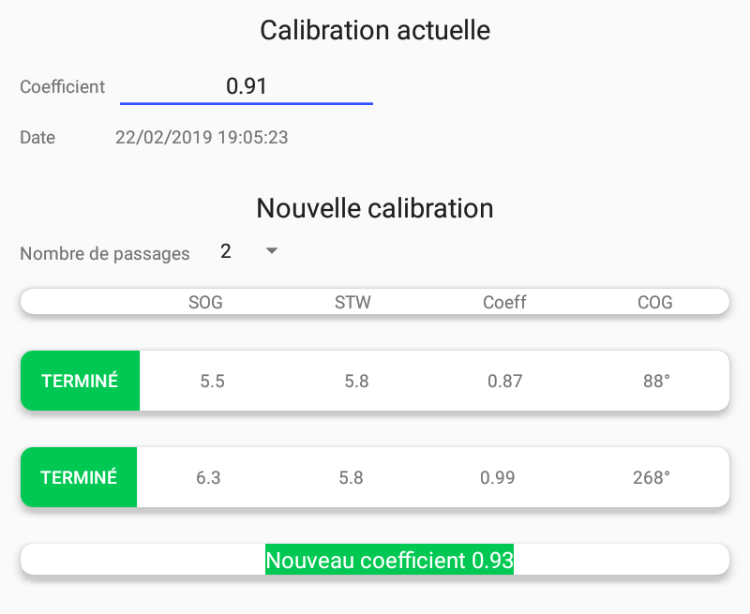
- the new coefficient is displayed. It has been calculated as follows: new_coeff = (SOG1 / STW1 + SOG2 / STW2) / 2 * old_coeff
- enter the new coefficient in the log.
- if we don’t have power, a simple run should suffice.
- motor at about 5 knots
- start the calibration module. Menu > Settings> GPS NMEA > NMEA settings > Speedometer calibration
- If necessary, enter the current calibration coefficient of the speedometer log if it is different from the one displayed by the app.
- choose 1 run
- wait until the speed is stabilized. When the Start button turns green, press it to start the procedure
- progress over a few hundred meters or about a minute. At least wait until the Stop button turns green.
- press the Stop button
- the new coefficient is displayed. It has been calculated as follows: new_coeff = SOG / STW * old_coeff
- enter the new coefficient in the speedometer log.
- If we have a rapidly changing current over time, we make 3 runs. The second one will have a double weight to cancel the effect of the current.
- motor at about 5 knots against or with the current.- start the calibration module. Menu > Settings> GPS NMEA > NMEA settings > Speedometer calibration
- If necessary, enter the current calibration coefficient of the speedometer log if it is different from the one displayed by the app.
- choose 3 runs
- wait until the speed is stabilized. When the Start button turns green, press it to start the procedure
- progress over a few hundred meters or about a minute. At least wait until the Stop button turns green.
- press the Stop button
- turn around. The application tells you which course to follow on the other side (COG2 = COG1 + 180°). Do not touch the engine speed during the U turn.
- wait until the speed is stabilized. When the Start button turns green, press it to start the second run..
- progress over a few hundred meters or about a minute. At least wait until the Stop button turns green.
- press the Stop button
- turn around. The app tells you which course to follow on the other side (COG3 = COG1). Do not touch the engine speed during the U turn.
- wait until the speed is stabilized. When the Start button turns green, press it to start the third run.
- progress over a few hundred meters or about a minute. At least wait until the Stop button turns green.
- press the Stop button
- the new coefficient is displayed. It has been calculated as follows:
new_coeff = (SOG1 / STW 1 + 2 * SOG2 / STW2 + SOG3 / STW3) / 4 * previous_coeff - enter the new coefficient in the speedometer log.
- In uncertainty or if we have a stable current, we make 2 runs, one against the current and the other with the current