If YellowBrick is in charge of the tracking, you will find on their site the race file in the Adrena, Expedition and Maxsea formats.
The Adrena file will however miss the IRC rating. You can add the rating either directly in SailGrib WR, or by editing the file with Excel using the worksheet provided on the app website.
To find these files on the Internet :
Go on the YellowBrick race tracking page from the race website note the address. For example, for the mini Fastnet 2017, the address is http://yb.tl/minifastnet2017
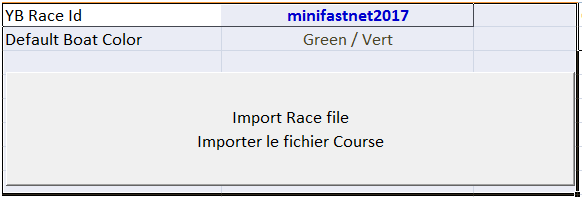
Copy the YellowBrick id for the race : minifastnet2017
Paste this ID in the YellowBrick worksheet of the Excel spreadsheet.
Click on the “Import Race file” button
Return to the Race worksheet, fill in the missing data and export the race minifastnet2017.dcc file by clicking the “Export Race File” button
Send this file to yourself as an email attachment
Open it on your Android device and save the attachment