SailGrib saves routings as KML files (Google Maps). It is possible to load several routings in order to compare them.
You can use this feature to compare routings with different:
- weather models
- polar efficiencies
- polars
- max routing days
- routes
- …
for exemple: a first routing is done without specifying an intermediate point.
The navigator wants to know what the routing would look like if you forced the boat through a point. It is very simple to do:
- Calculate the first routing
- Insert a waypoint on the route
- Calculate the new routing
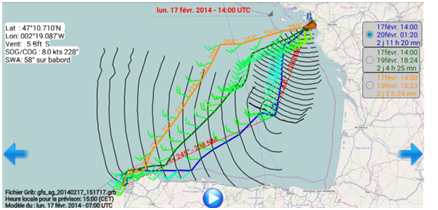
You can switch from one routing to the other with the buttons at the top right of the screen. The last calculated routing will always be at the top of the list, the track color will be blue and the boat red.
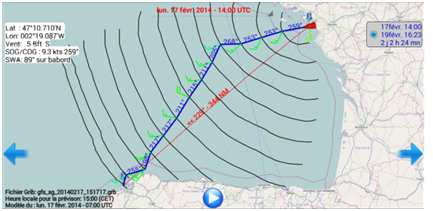
In the example below: route from Saint Nazaire to La Corogne on February 17 on a Sun Fast 3200.
The first routing indicates to go to port in the SW direction then to turn when the wind starts its shift to W. The duration is 2 days 2 hours 24 minutes.
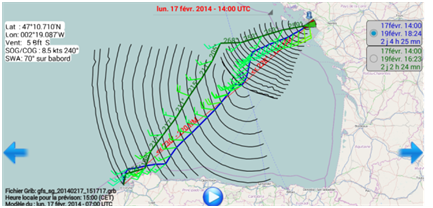
If you force a mid-point on the great circle, the time increases to 2d 4h 25mn. If we move this point towards the interior of the Bay of Biscay, the planned sailing time increases to 2d 11h 20mn.